RIP Wallet Documentation
Everything you need to know about using RIP Wallet — your self-custody wallet for the XRP Ledger. From creating your first wallet to advanced security features.
Overview
RIP Wallet is a self-custody cryptocurrency wallet built for the XRP Ledger (XRPL). It gives you full control of your funds — your keys, your coins, your responsibility.
Self-Custody
Your wallet keys are stored only on your device. No one else, not even us, can access your funds.
Built-In Security
Transaction risk scoring, anti-spam filters, wallet drainer protection, and spending limits keep your assets safe.
Transparent Fees
Our 0.0314% platform fee ("Our Slice of Pi") is clearly disclosed before every transaction. No hidden charges.
XRPL Native
Send, receive, and manage XRP and XRPL tokens with direct on-chain transactions. No intermediaries.
PIN Protected
Local PIN authentication protects access to your wallet on your device.
Live Price Data
Real-time XRP price tracking with 24h change indicators and USD balance conversion.
App Screenshots
See RIP Wallet in action on a real device.
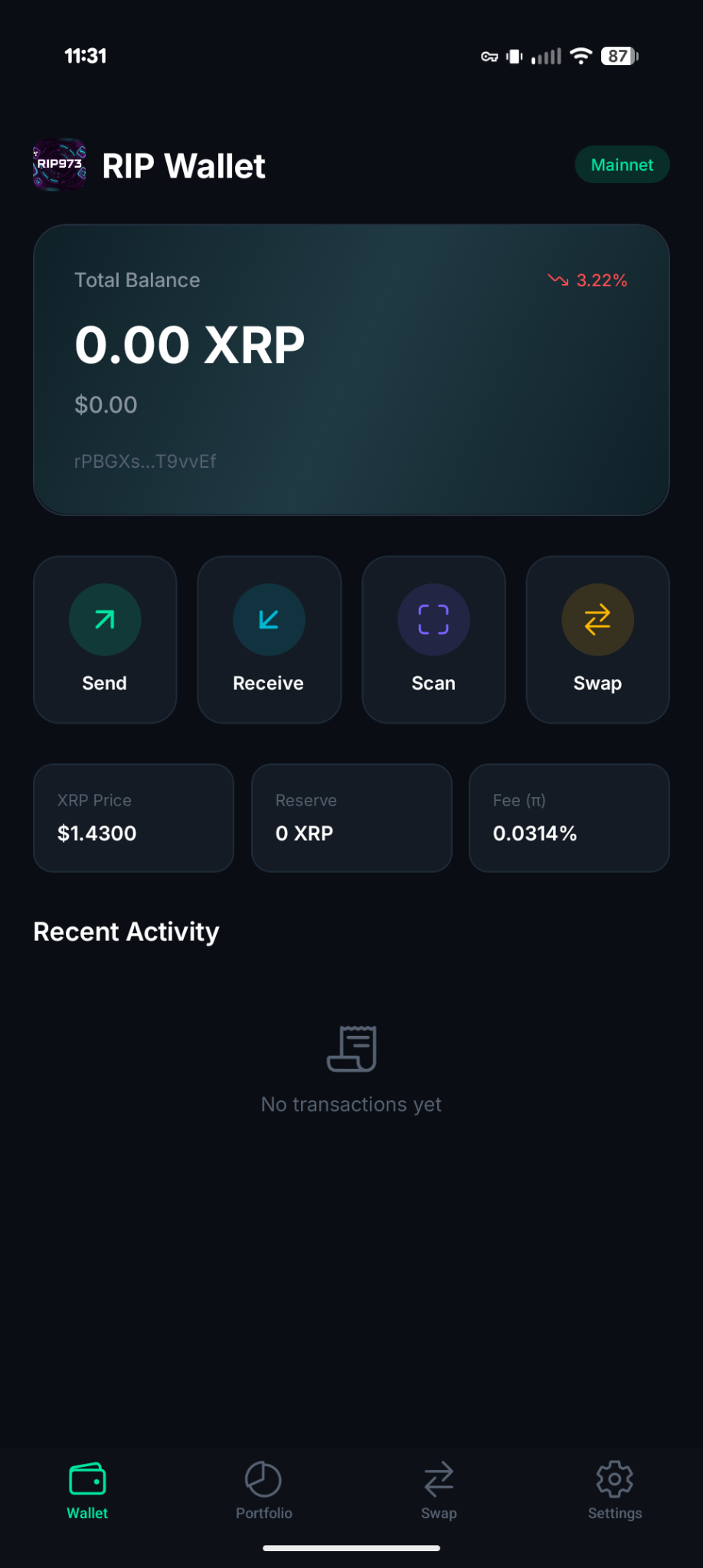
Wallet Dashboard
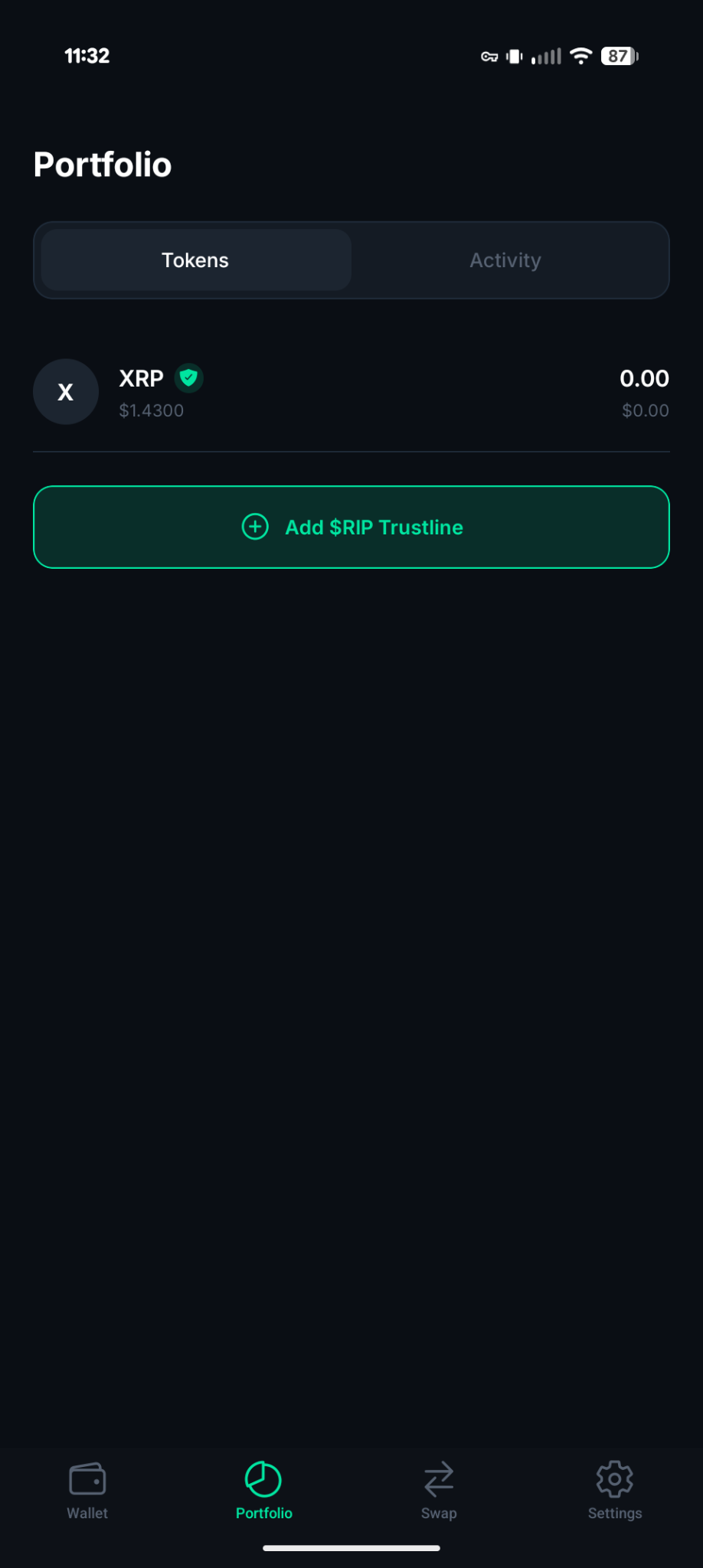
Portfolio & Tokens
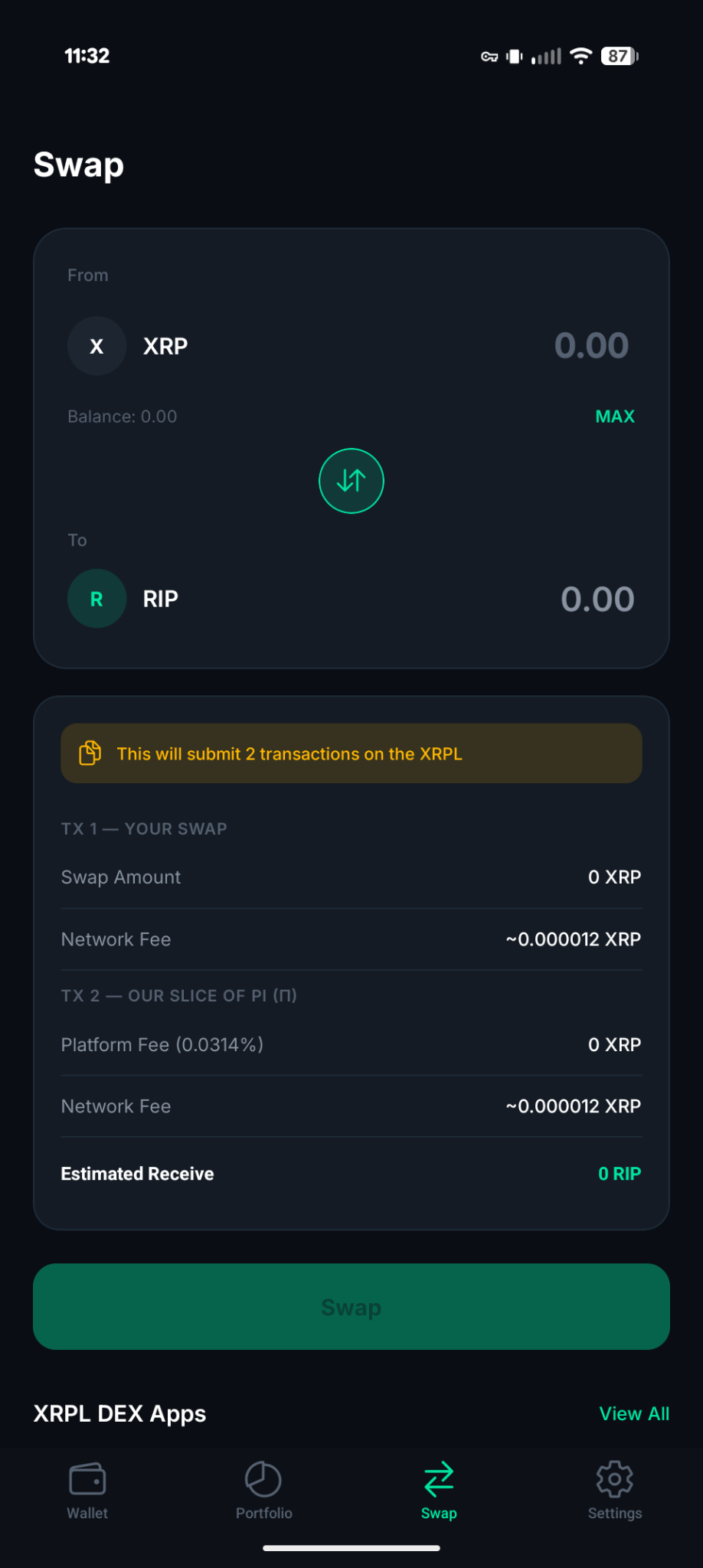
Swap Interface
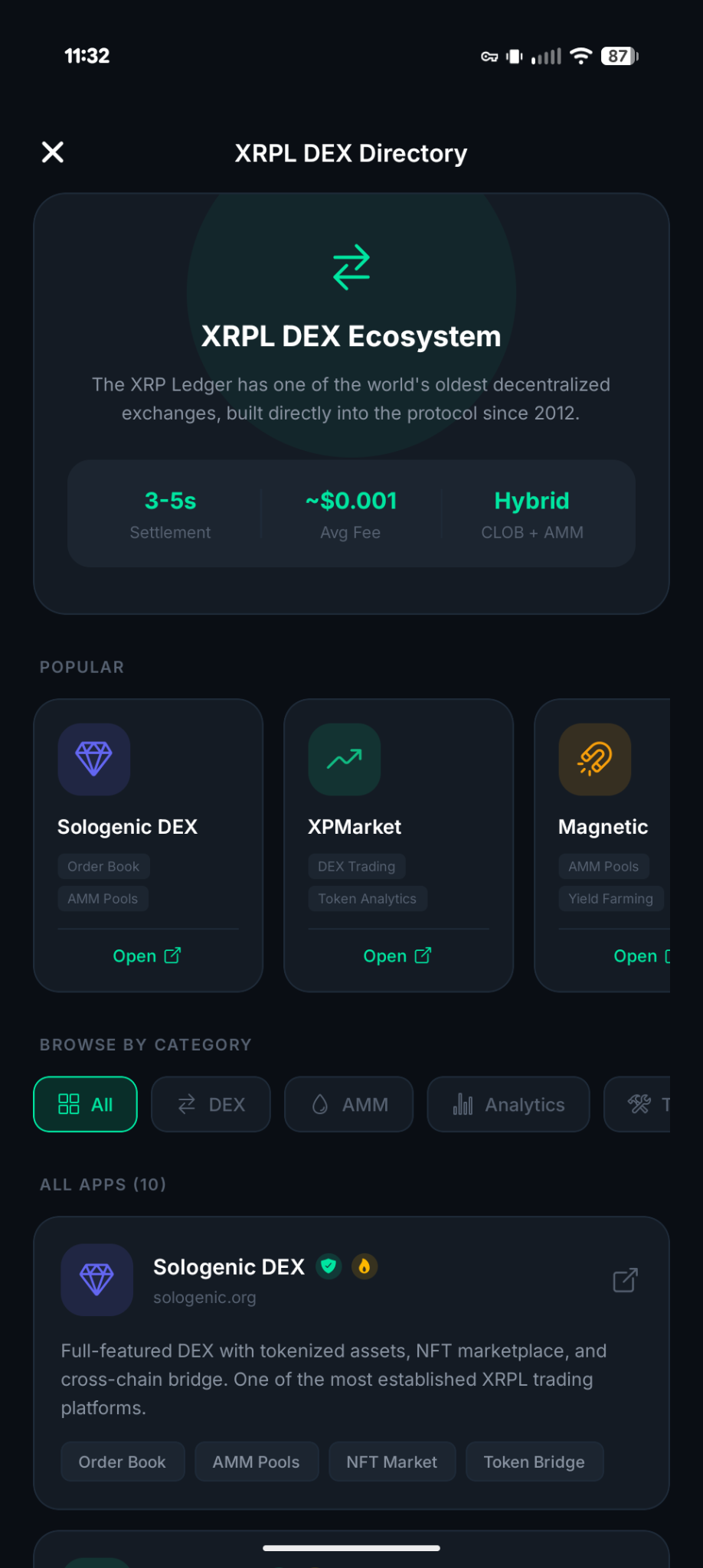
XRPL DEX Directory
Quick Start
Getting started with RIP Wallet takes less than a minute. Here's how:
- Download the App — Get RIP Wallet from the App Store, Google Play, or scan the QR code on our home page to open it in Expo Go.
- Create or Import — Choose whether to create a brand new wallet or import an existing one using your secret recovery phrase (seed).
- Backup Your Phrase — If creating a new wallet, write down your 12-word recovery phrase and store it somewhere safe. This is the ONLY way to recover your wallet.
- Set Your PIN — Create a 6-digit PIN to protect access to the app on your device.
- You're Ready! — Your wallet is set up. You can now receive XRP, view your balance, and start transacting.
Recovery Phrase Is Everything
If you lose your recovery phrase, your funds are permanently lost. RIP Wallet cannot recover it for you. Write it down on paper, store it in a safe place, and never share it with anyone.
Create a New Wallet
Creating a new wallet generates a fresh XRPL address with a unique secret recovery phrase (mnemonic). This phrase is the master key to your wallet.
How It Works
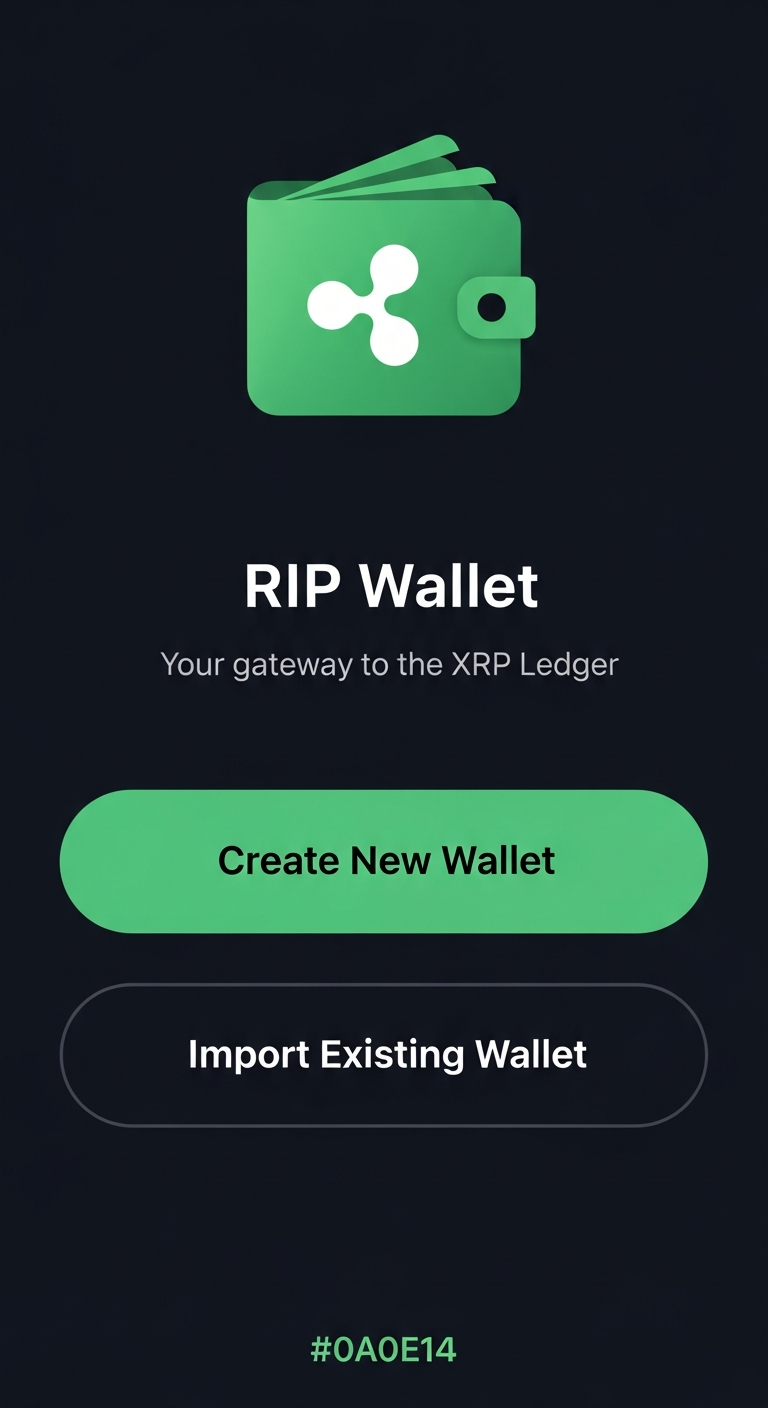
- Tap "Create New Wallet" on the welcome screen.
- Your wallet is generated — a new XRPL keypair (address + secret) is created locally on your device.
- Write down your recovery phrase — you'll see a 12-word phrase. Write every word down in order.
- Verify your backup — the app will ask you to confirm specific words from your phrase to make sure you saved it correctly.
- Set a PIN — choose a 6-digit PIN for quick access.
Testnet vs Mainnet
New wallets created on testnet are automatically funded with test XRP for free. On mainnet, you'll need to deposit at least 10 XRP (the XRPL account reserve) to activate your wallet.
Import an Existing Wallet
Already have an XRPL wallet? You can import it into RIP Wallet using your secret seed phrase.
- Tap "Import Existing Wallet" on the welcome screen.
- Enter your seed phrase — type or paste your existing XRPL secret (family seed starting with
s, or a 12-word mnemonic). - Set a PIN — choose a 6-digit PIN for app access.
- Done! — your existing wallet is now accessible through RIP Wallet.
Supported Formats
RIP Wallet supports both XRPL family seeds (starting with s) and standard 12-word mnemonic phrases. Your secret is stored locally on your device and never sent to any server in an unencrypted format.
PIN Setup & Authentication
Your PIN is a 6-digit code that protects access to RIP Wallet on your device. Every time you open the app, you'll need to enter your PIN.
- PINs are stored locally on your device only
- After entering the wrong PIN multiple times, you may be temporarily locked out
- If you forget your PIN, you can reset the app and re-import your wallet using your recovery phrase
- Your PIN does not encrypt your recovery phrase — it controls app access
Wallet Dashboard
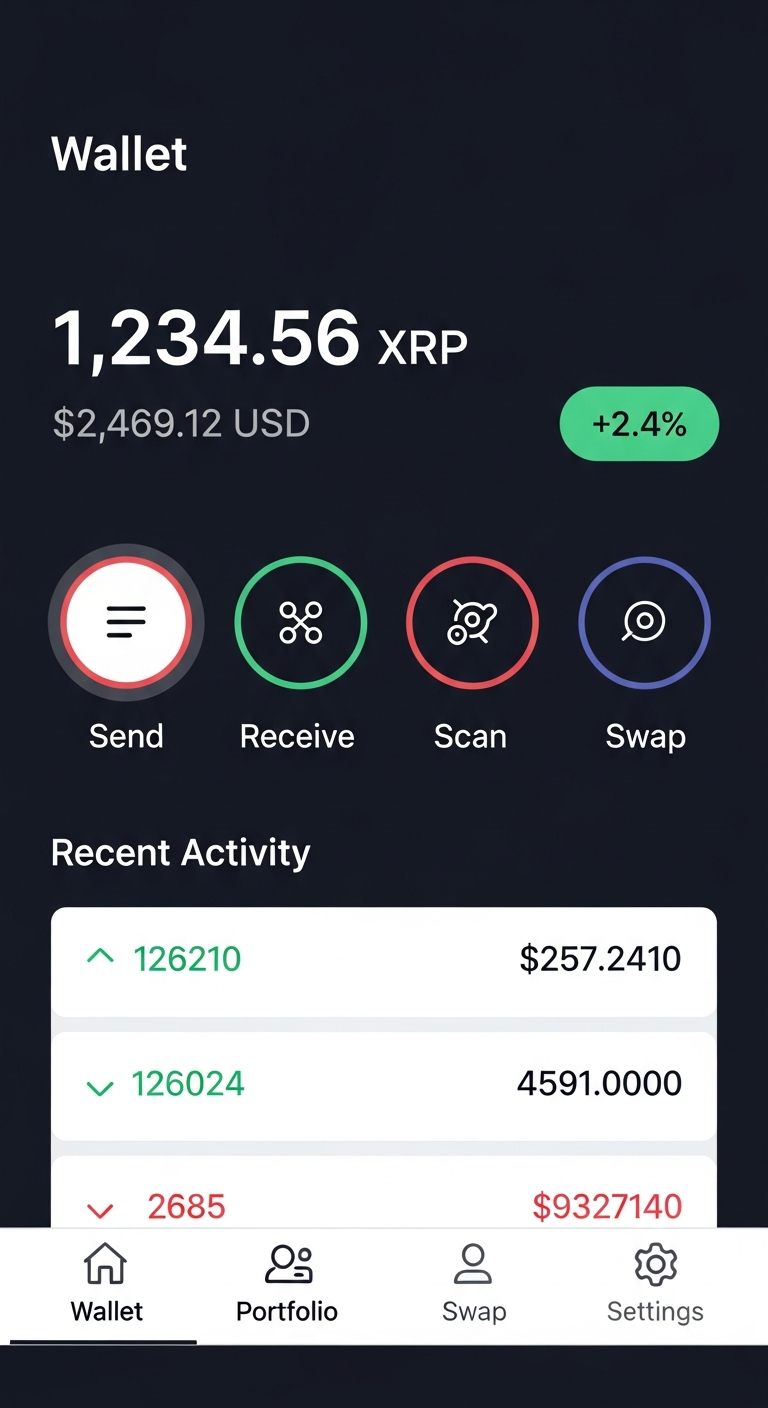
The Wallet tab is your home screen. It gives you an at-a-glance view of your financial position and quick access to all wallet actions.
What You'll See
- XRP Balance — your current balance in both XRP and USD equivalent
- Price Change — 24-hour XRP price movement shown as a green (up) or red (down) percentage badge
- Quick Actions — four buttons: Send, Receive, Scan, and Swap for fast access
- Recent Transactions — your latest activity with amounts, addresses, and timestamps
- Network Indicator — shows whether you're on Mainnet or Testnet
Pull to Refresh
Pull down on the wallet screen to refresh your balance, transactions, and price data in real time.
Send XRP
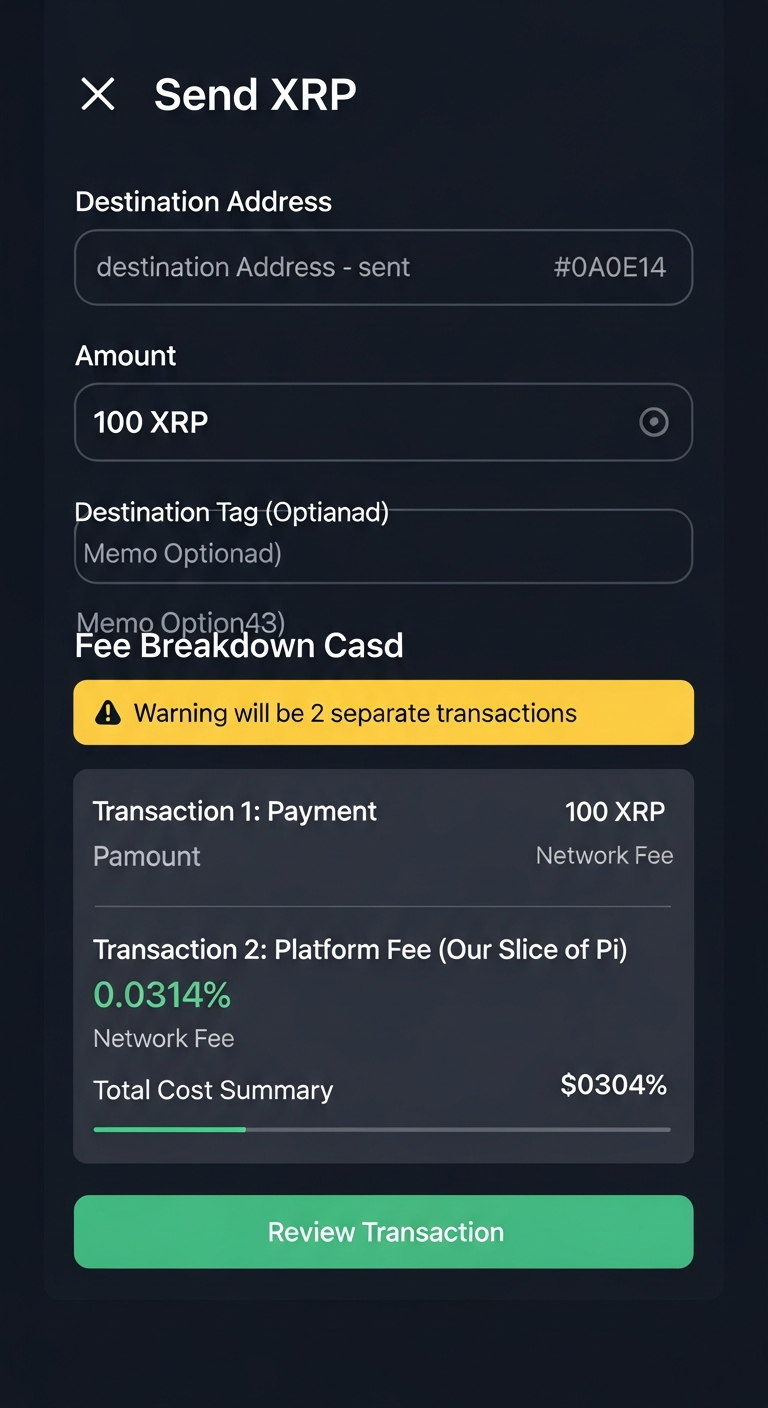
Sending XRP through RIP Wallet is straightforward but involves two separate on-chain transactions for full transparency.
How to Send
- Enter the destination address — the XRPL address (starts with
r) of the person or exchange you're sending to. - Enter the amount — how much XRP you want to send.
- Optional: Destination Tag — some exchanges and services require this number to identify your deposit. If required, you must include it.
- Optional: Memo — add a note to your transaction.
- Review the fee breakdown — the app clearly shows all costs before you confirm.
- Confirm & Send — verify everything looks correct and submit.
Two-Transaction Fee Model
Every send creates two separate XRPL transactions. Transaction 1 sends the exact amount you enter to the recipient. Transaction 2 sends the 0.0314% platform fee ("Our Slice of Pi") directly to the RIP973 treasury wallet (rK5Zkythqw2UyvR4QC5vM8Nzpmu8jgzGSn). If the main payment fails, the fee transaction is not sent.
| Component | Details |
|---|---|
| Transaction 1: Payment | Sends the exact amount you enter to the recipient |
| Transaction 2: Platform Fee | Sends 0.0314% of the amount to the treasury wallet as a separate payment with a Pi Fee memo |
| Network Fees | ~0.000024 XRP total (2 x ~0.000012 XRP, one per transaction) |
| Total Cost to You | Amount + 0.0314% platform fee + 2 network fees |
Two Transactions, Full Transparency
Your payment and the platform fee are two separate on-chain transactions, each incurring its own XRPL network fee (~0.000012 XRP each, ~0.000024 XRP total). The fee transaction includes a memo identifying it as a Pi Fee, and you can independently verify both transactions on any XRPL block explorer. If the main payment fails, the fee transaction is never sent.
Risk Assessment
Before sending, RIP Wallet automatically performs a risk assessment on the transaction. It checks the destination address against known scam lists, evaluates the amount relative to your spending limits, and scans memo content for suspicious patterns. If any risks are detected, you'll see a clear warning before confirming.
Receive XRP
To receive XRP, share your wallet address or QR code with the sender.
How to Receive
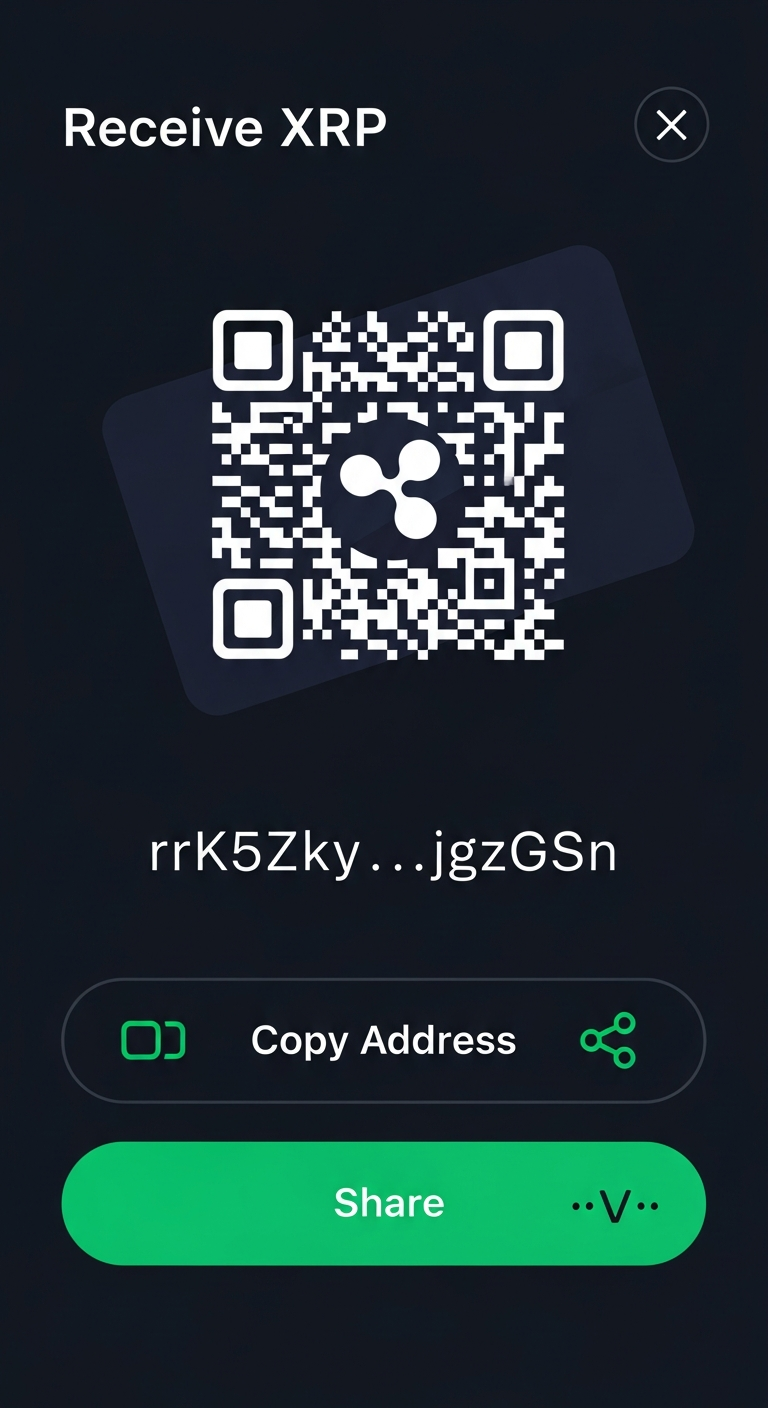
- Tap "Receive" from the wallet dashboard quick actions.
- Show or share the QR code — the sender can scan this with their wallet app to get your address automatically.
- Or copy your address — tap the copy button to copy your full XRPL address to share via text, email, or messaging.
- Share directly — use the share button to send your address via any app on your device.
Account Activation
On mainnet, a new XRPL wallet must receive at least 10 XRP in its first transaction to activate. This is an XRPL network requirement (account reserve), not a RIP Wallet fee. The reserve is locked in your account and cannot be spent.
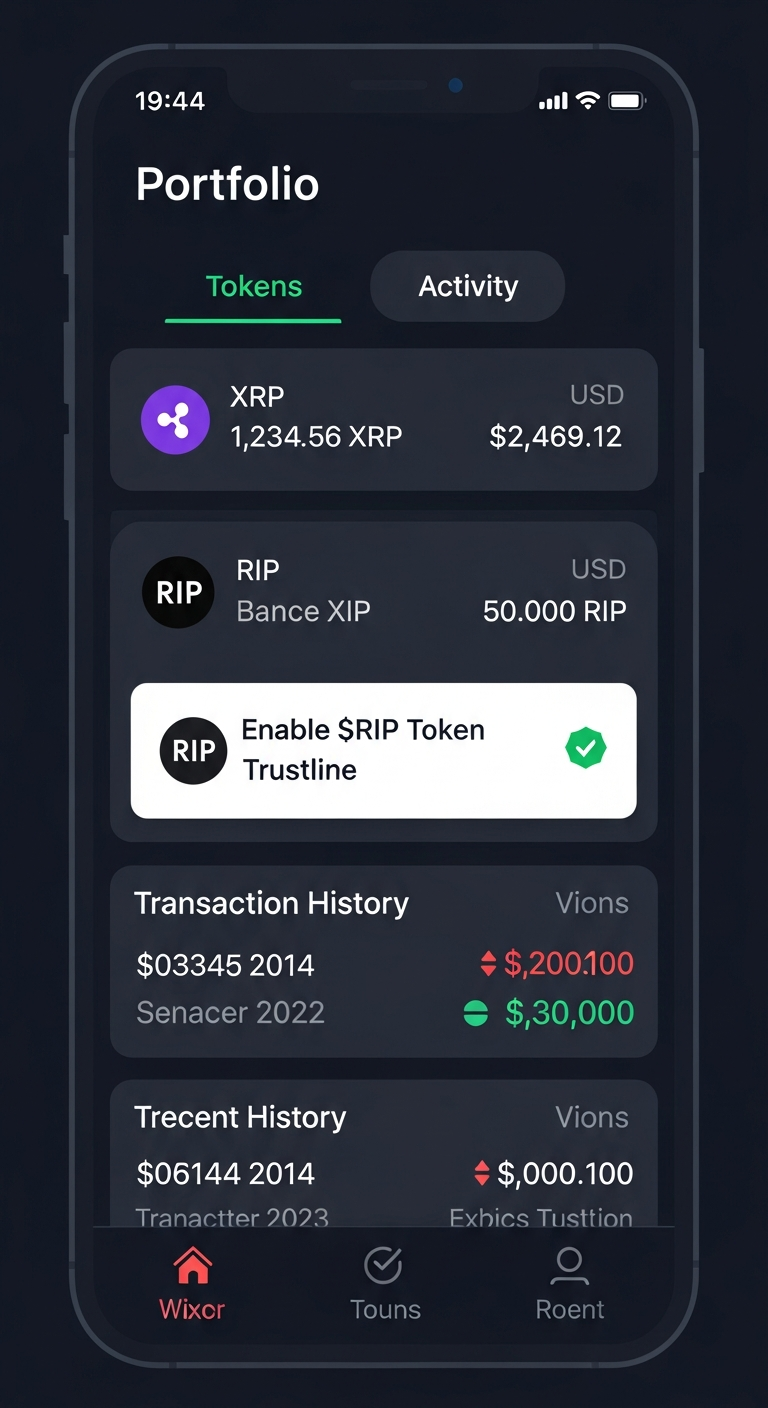
Portfolio
The Portfolio tab gives you a detailed view of all your holdings and transaction history.
Tokens Tab
- XRP balance with USD value and price data
- XRPL token holdings from your active trustlines
- Verified badges on recognized tokens from known issuers
- Anti-spam filtering that hides suspicious airdropped tokens (toggle to view)
- $RIP trustline setup with a one-tap banner if you haven't enabled it
Activity Tab
View your full transaction history with type indicators (sent/received), amounts, counterparty addresses, timestamps, and transaction status. Tap any transaction to view its full on-chain details.
Swap & DEX
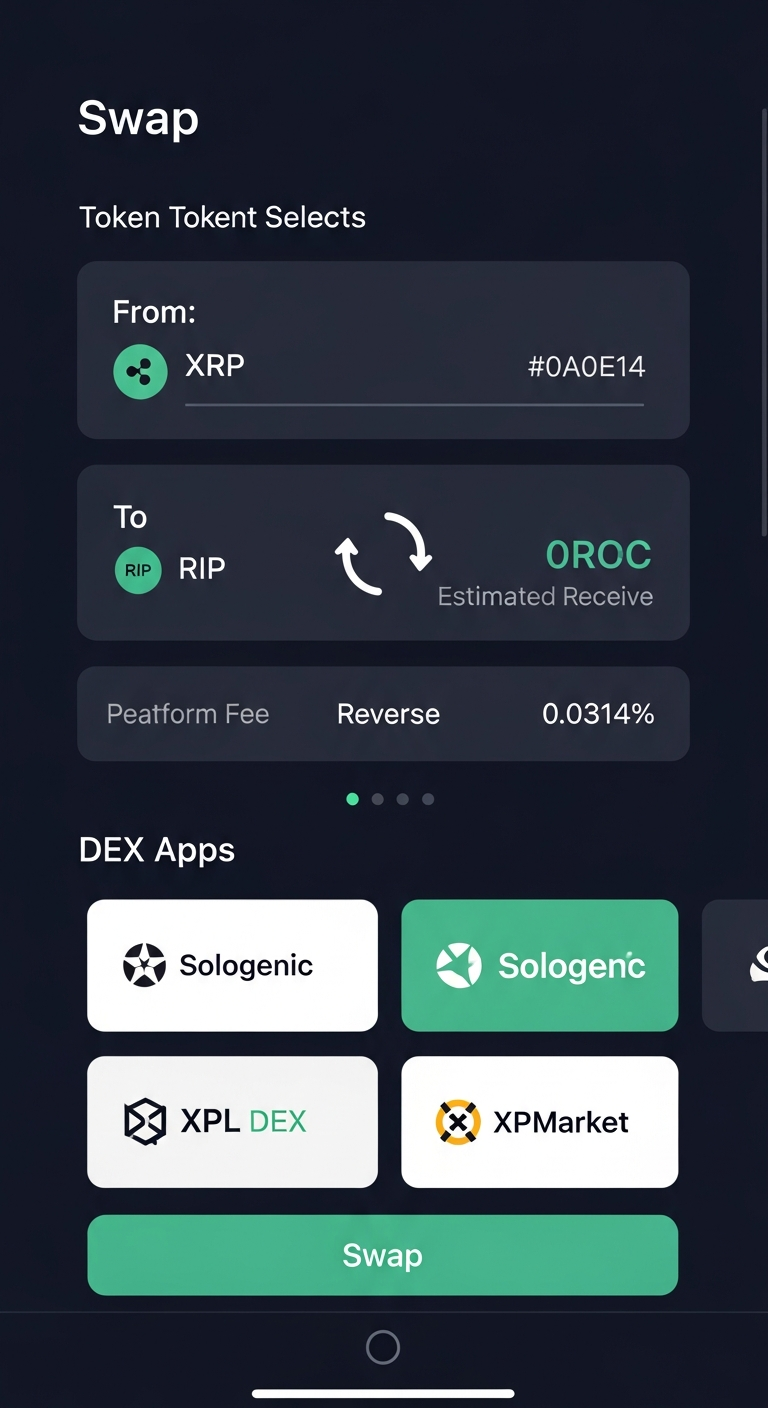
The Swap tab provides access to XRPL decentralized exchange functionality for trading tokens.
Token Swap (Coming Soon)
The built-in swap feature allows you to select tokens, enter amounts, and see real-time estimated conversion rates. The same 0.0314% platform fee applies to swap transactions, transparently shown in the fee breakdown.
DEX Directory
Access a curated list of trusted XRPL DEX platforms and analytics tools directly from the app:
- Sologenic — full-featured DEX for XRPL token trading
- XPMarket — XRPL token marketplace and analytics
- XRPL.org — official XRPL explorer and resources
- And more curated platforms, all accessible with one tap
Security Engine
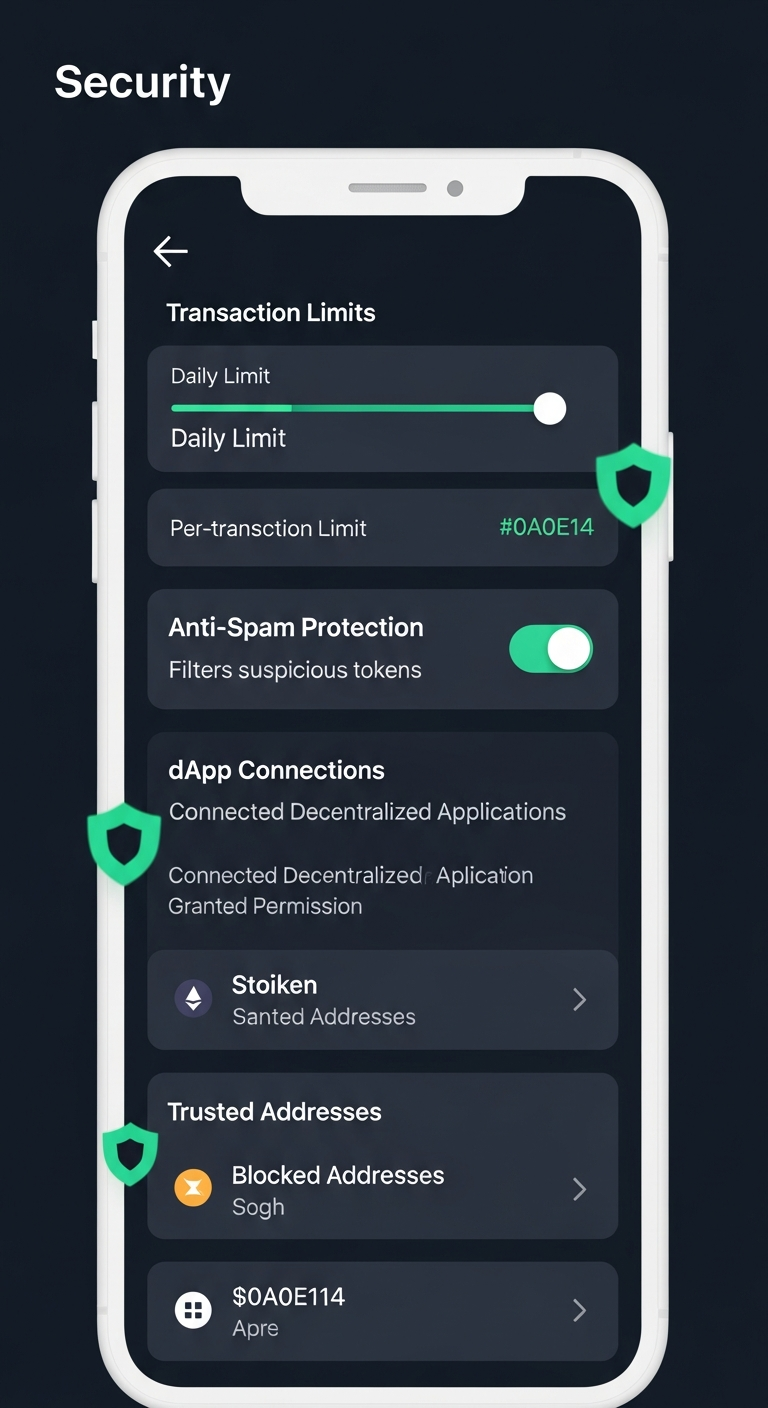
RIP Wallet includes a comprehensive security engine designed to protect you from scams, spam tokens, and wallet drainers.
Transaction Risk Scoring
Every outgoing transaction is scored for risk before submission. The system checks destination addresses, amount sizes, memo content, and network conditions to flag potential threats.
Anti-Spam Token Filtering
Airdropped scam tokens are automatically detected and hidden from your portfolio. You can toggle visibility to see filtered tokens if needed, with clear "suspicious" warnings.
Wallet Drainer Protection
Known malicious addresses are maintained in a blocklist. Transactions to these addresses are blocked with a clear warning explaining why.
Spending Limits
- Per-transaction limits — set a maximum amount for any single send
- Daily limits — cap your total daily spending
- Configurable thresholds — customize limits in the security settings
Address Management
- Blocked addresses — addresses you've blocked or that are known scammers
- Trusted addresses — allowlisted addresses that bypass risk checks
Settings
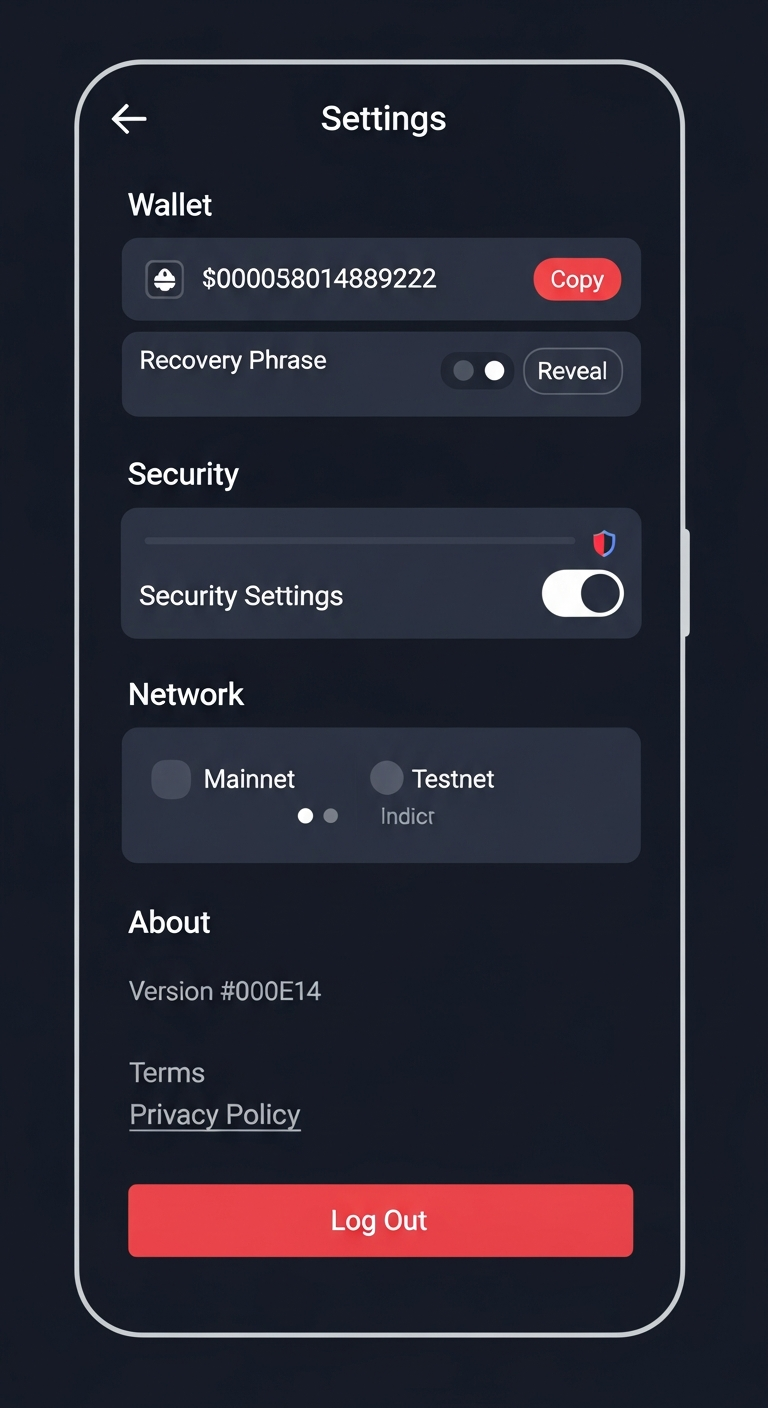
The Settings tab lets you manage your wallet configuration, security preferences, and network options.
Wallet Section
- Wallet Address — view and copy your XRPL address
- Recovery Phrase — reveal and copy your secret recovery phrase (use with caution)
Security
Access the full security settings screen (see the Security Engine section above).
Network
Toggle between Mainnet and Testnet (see Network Switching below).
About
- App version information
- Links to Terms of Service and Privacy Policy
- Platform and website links
Log Out
Logging out removes your wallet data from the device. Make sure you have your recovery phrase saved before logging out! Without it, you will permanently lose access to your funds.
Network Switching
RIP Wallet supports two XRPL networks:
| Network | Purpose | XRP Value | Server |
|---|---|---|---|
| Mainnet | Live network with real XRP | Real monetary value | wss://xrplcluster.com |
| Testnet | Testing and development | No monetary value | wss://s.altnet.rippletest.net:51233 |
You can switch between networks in the Settings tab. A clear visual indicator (colored banner) shows which network you're currently using. The treasury fee (Our Slice of Pi) only applies on Mainnet transactions.
Different Networks = Different Wallets
Your wallet address exists independently on each network. Mainnet XRP and testnet XRP are completely separate. Never send real XRP to a testnet address or vice versa.
Transaction Fees
Full transparency is a core principle of RIP Wallet. Here's exactly what you pay when sending XRP:
Fee Breakdown
| Fee Type | Amount | Recipient | Description |
|---|---|---|---|
| XRPL Network Fees | ~0.000024 XRP | XRPL Network | 2 network fees (~0.000012 XRP each) — one for the payment transaction, one for the fee transaction |
| Platform Fee | 0.0314% of amount | RIP973 Treasury | "Our Slice of Pi" — sent as a separate transaction to the treasury wallet |
Example
Sending 100 XRP
Transaction 1 — Recipient receives: 100 XRP
Transaction 2 — Treasury receives: 0.0314 XRP (0.0314% platform fee)
Network fees: ~0.000024 XRP (2 x 0.000012 XRP)
Total cost to you: ~100.031424 XRP
Treasury & "Our Slice of Pi"
The 0.0314% fee — branded as "Our Slice of Pi" — is how RIP Wallet sustains itself. The number 0.0314 is intentionally tied to the mathematical constant Pi (3.14...), making it small, memorable, and transparent.
How It Works
- When you send XRP, RIP Wallet creates two separate XRPL transactions
- Transaction 1: Sends the exact amount you enter to the recipient
- Transaction 2: Sends 0.0314% of the amount as a fee to the RIP973 treasury wallet
- The treasury address is:
rK5Zkythqw2UyvR4QC5vM8Nzpmu8jgzGSn - The fee transaction includes a memo identifying it as a Pi Fee for full on-chain transparency
- If the main payment (Transaction 1) fails, the fee transaction is not sent
- The fee only applies on Mainnet transactions — testnet transactions are free
- Each transaction incurs its own XRPL network fee (~0.000012 XRP each, ~0.000024 XRP total)
Verifiable On-Chain
Both the payment and the platform fee are separate XRPL transactions that you can independently verify on any XRPL block explorer. Nothing is hidden.
Trustlines & Tokens
On the XRPL, you need to set up a trustline before you can hold any token other than XRP. A trustline is like telling the network "I trust this issuer to hold their token in my wallet."
$RIP Token
The $RIP token is the native token of the RIP973 platform. You can enable it directly from the Portfolio tab with a single tap.
- Issuer:
rNTfyfJaYFbcqSwTKxNwTC322zFziC5LiE - Currency Code: RIP
- Setting a trustline requires a small XRPL reserve (2 XRP locked)
- You can remove a trustline from the Settings if you no longer want to hold the token
Anti-Spam Token Protection
Scammers sometimes airdrop worthless tokens to wallets. RIP Wallet automatically detects and hides suspicious tokens, showing only verified tokens from known issuers by default. You can toggle spam visibility in the Portfolio to see all tokens.
dApp Connections
RIP Wallet supports connecting to decentralized applications (dApps) with per-app permission management.
Features
- Connect to dApps — authorize specific applications to interact with your wallet
- Per-app permissions — each connected dApp has its own set of permissions (view balance, sign transactions, etc.)
- Spending limits — set per-dApp spending limits for extra safety
- Revoke access — disconnect any dApp at any time from the dApp browser
- Block dApps — permanently block suspicious dApps from requesting connections
Auth Approval Flow
When a dApp requests to connect, RIP Wallet shows a clear approval screen with the dApp's name, requested permissions, and a description of what access you're granting. You can approve or deny each request individually.
QR Scanner
The built-in QR scanner lets you quickly scan wallet addresses and payment requests. Access it from the "Scan" quick action on the wallet dashboard.
What It Scans
- XRPL addresses — scanned addresses are automatically populated in the Send screen
- Payment requests — QR codes that include amount and destination tag info
- dApp connection requests — scan authentication QR codes from web dApps
XRPL Basics
New to the XRP Ledger? Here's what you need to know:
What is XRP?
XRP is the native cryptocurrency of the XRP Ledger, one of the fastest and most energy-efficient blockchains. Transactions settle in 3-5 seconds with near-zero fees.
Key Concepts
| Concept | What It Means |
|---|---|
| Account Reserve | 10 XRP must be locked in your wallet to keep it active on the network. This cannot be spent. |
| Owner Reserve | 2 XRP locked per object you own (each trustline, escrow, etc.). These are released if you remove the object. |
| Destination Tag | A number that identifies the recipient at a shared address (like an exchange). Required by most exchanges. |
| Trustline | A link between your wallet and a token issuer that allows you to hold their token. |
| Network Fee | A tiny fee (~0.000012 XRP) paid to the network for each transaction. This is burned, not paid to anyone. |
| Self-Custody | You hold your own private keys. No company can freeze or seize your funds. |
Frequently Asked Questions
Is RIP Wallet free to use?
The app itself is free. When sending XRP on mainnet, a small 0.0314% platform fee ("Our Slice of Pi") is applied to each transaction, plus standard XRPL network fees. Testnet transactions have no platform fee.
Can RIP Wallet access my funds or recovery phrase?
No. RIP Wallet is a self-custody wallet. Your recovery phrase and wallet keys are stored only on your device. We have no ability to access, freeze, or recover your funds.
What happens if I lose my phone?
If you have your recovery phrase backed up, you can import your wallet on a new device. If you don't have your recovery phrase, your funds are permanently lost. There is no way to recover them.
How does the platform fee work?
RIP Wallet creates two separate XRPL transactions per send. Transaction 1 sends the exact amount you enter to the recipient. Transaction 2 sends the 0.0314% platform fee ("Our Slice of Pi") directly to the treasury wallet (rK5Zkythqw2UyvR4QC5vM8Nzpmu8jgzGSn) with a memo identifying it as a Pi Fee. If the main payment fails, the fee transaction is not sent. The total cost to you is the amount plus the platform fee plus two network fees (~0.000024 XRP total), keeping costs minimal. You can verify both transactions on any block explorer.
What is the minimum balance I need?
The XRPL requires a 10 XRP account reserve to activate your wallet. You need at least 10 XRP plus enough to cover the transaction you want to make, network fees, and any trustline reserves (2 XRP each).
How do I switch between Mainnet and Testnet?
Go to Settings and toggle the network switch. Testnet is useful for learning and testing without risking real funds. Your wallet address exists independently on each network.
Are my transactions private?
XRPL is a public blockchain. All transactions, including the platform fee, are visible on-chain. RIP Wallet does not add any additional tracking beyond what is inherent to the XRPL.
What is the $RIP token?
$RIP is the native token of the RIP973 platform. You can enable it by setting a trustline from the Portfolio tab. Setting a trustline locks 2 XRP as an owner reserve on the XRPL.
Troubleshooting
"Insufficient balance" error when sending
The XRPL requires a 10 XRP reserve that cannot be spent. Your available balance is your total balance minus 10 XRP minus any owner reserves (2 XRP per trustline/object). Make sure you have enough available XRP to cover the send amount, network fees, and platform fee.
Transaction stuck or not appearing
XRPL transactions typically confirm in 3-5 seconds. If your transaction doesn't appear, try pulling down to refresh your balance and transaction list. If it still doesn't show, check the XRPL explorer using your transaction hash.
Can't activate wallet on Mainnet
New mainnet wallets need at least 10 XRP sent to them to activate. Ask someone to send you 10+ XRP, or transfer from an exchange. On testnet, wallets are auto-funded for free.
"Destination tag required" error
Exchanges and some services require a destination tag. If you're sending to an exchange, check their deposit instructions for the correct destination tag number and enter it in the Destination Tag field.
Suspicious tokens appearing in my portfolio
Scammers sometimes airdrop tokens to wallets. RIP Wallet automatically filters these. Never interact with unknown tokens or visit URLs found in spam token names. The anti-spam filter hides them by default.
Forgot my PIN
If you forget your PIN, you'll need to reinstall the app and import your wallet using your recovery phrase. If you don't have your recovery phrase, your funds cannot be recovered.